
Predictable automation pricing
- 1,000 interactions
- 1 AI agent
- AI agent switching
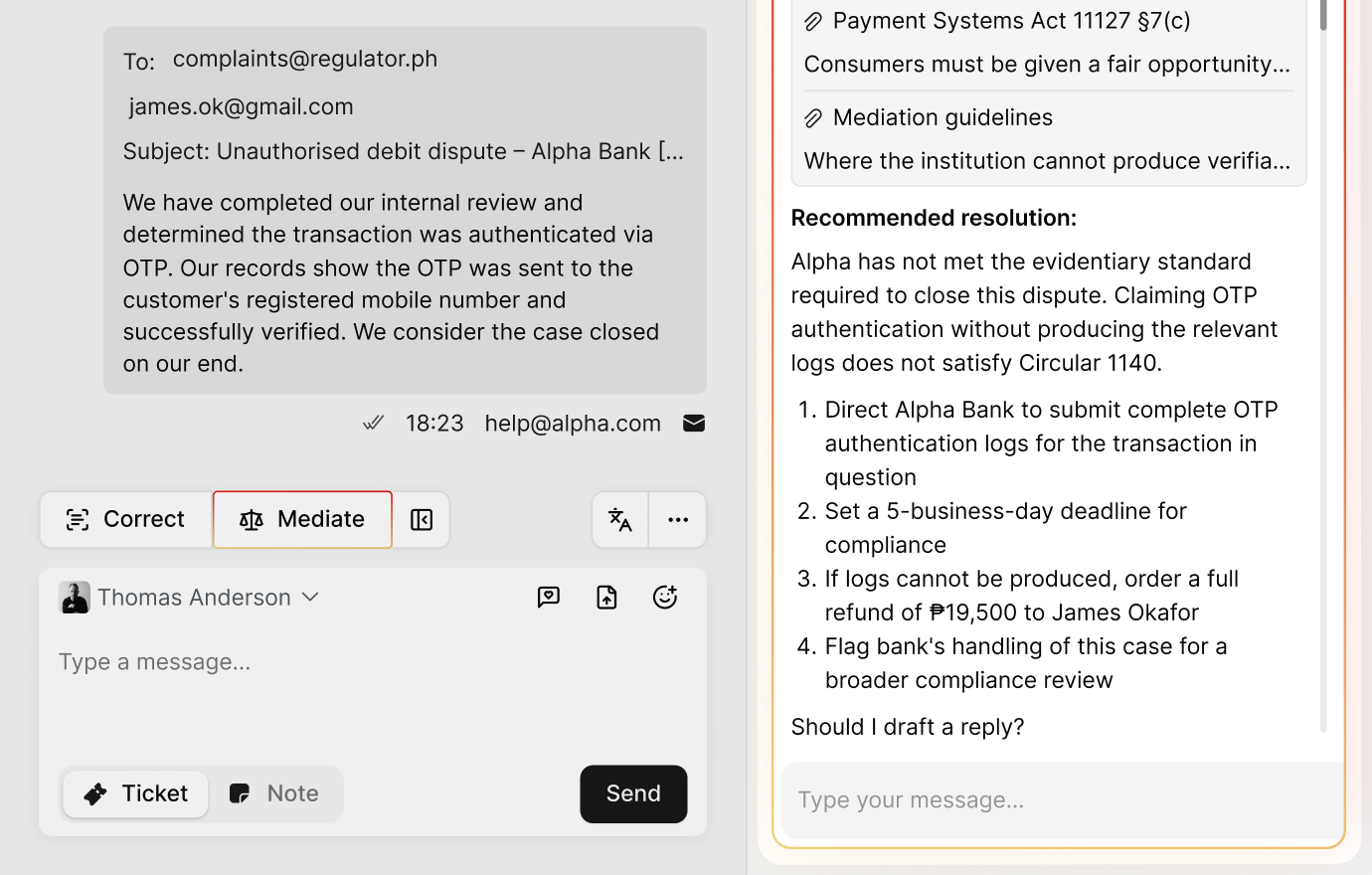
- Mediation
- 2 channels
- 2 training data sources
- 2 users
- 1 team
- Basic analytics
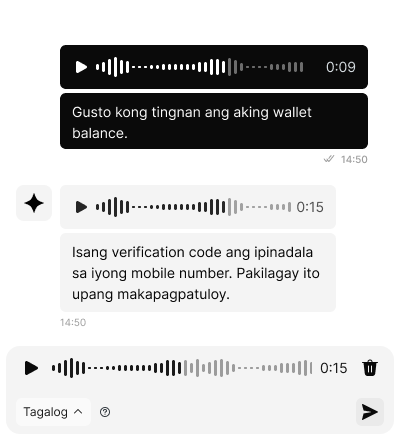
- Voice messaging
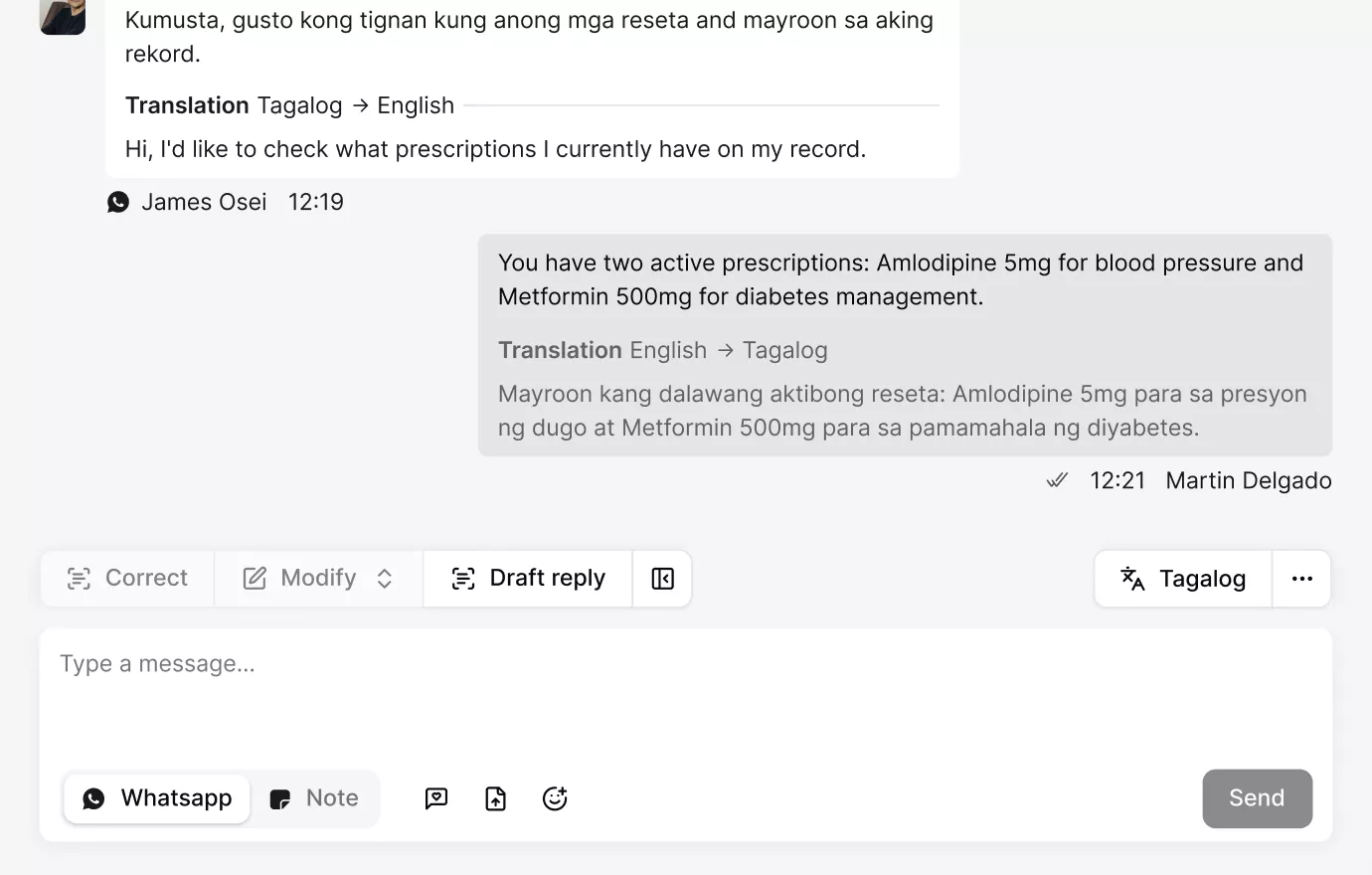
- Live translation
- Summaries
- Sentiment and emotion
- Auto-tags and auto-fields
- Scrapes
- Insights
per month
- 5,000 interactions
- 2 AI agents
- AI agent switching
- Mediation
- 6 channels
- 5 training data sources
- 3 users
- 1 team
- Basic analytics
- Voice messaging
- Live translation
- Summaries
- Sentiment and emotion
- Auto-tags and auto-fields
- Scrapes
- Insights
per month
- 25,000 interactions
- 2 AI agents
- AI agent switching
- Mediation
- 6 channels
- 10 training data sources
- 5 users
- 2 teams
- Complete analytics
- Voice messaging
- Live translation
- Summaries
- Sentiment and emotion
- Auto-tags and auto-fields
- Scrapes
- Insights
per month
- 50,000 interactions
- 6 AI agents
- AI agent switching
- Mediation
- All channels
- 20 training data sources
- 10 users
- 4 teams
- Complete analytics
- Voice messaging
- Live translation
- Summaries
- Sentiment and emotion
- Auto-tags and auto-fields
- Scrapes
- Insights
per month
- 100,000+ interactions
- All features, unlimited
- AI agent network
- Mediation
- On-premise hostingEmbed
- Unlimited supportEmbed
- Custom integrationsEmbed
- Roadmap priorityEmbed
- Complete analytics
- Voice messaging
- Live translation
- Summaries
- Sentiment and emotion
- Auto-tags and auto-fields
- Scrapes
- Insights
15‑minute live demo










Ready to connect with our team?
Service beyond messages
View all features
from $890 $990 per month, billed annually Go Free | Starter $0 | Lite $135 $150 per month | Pro $890 $990 per month | Total $1,790 $1,990 per month | Enterprise from $4,500 per month |
|---|---|---|---|---|---|
Interactions Messages, voice, emails, translations, summaries, auto-tags, auto-fields, scrapes, and insights. | 1,000 | 5,000 | 25,000 | 50,000 | 100,000 |
Additional interactions Additional interactions are applied automatically after a plan's monthly limit. | 2,000 for $100 | Calculate | |||
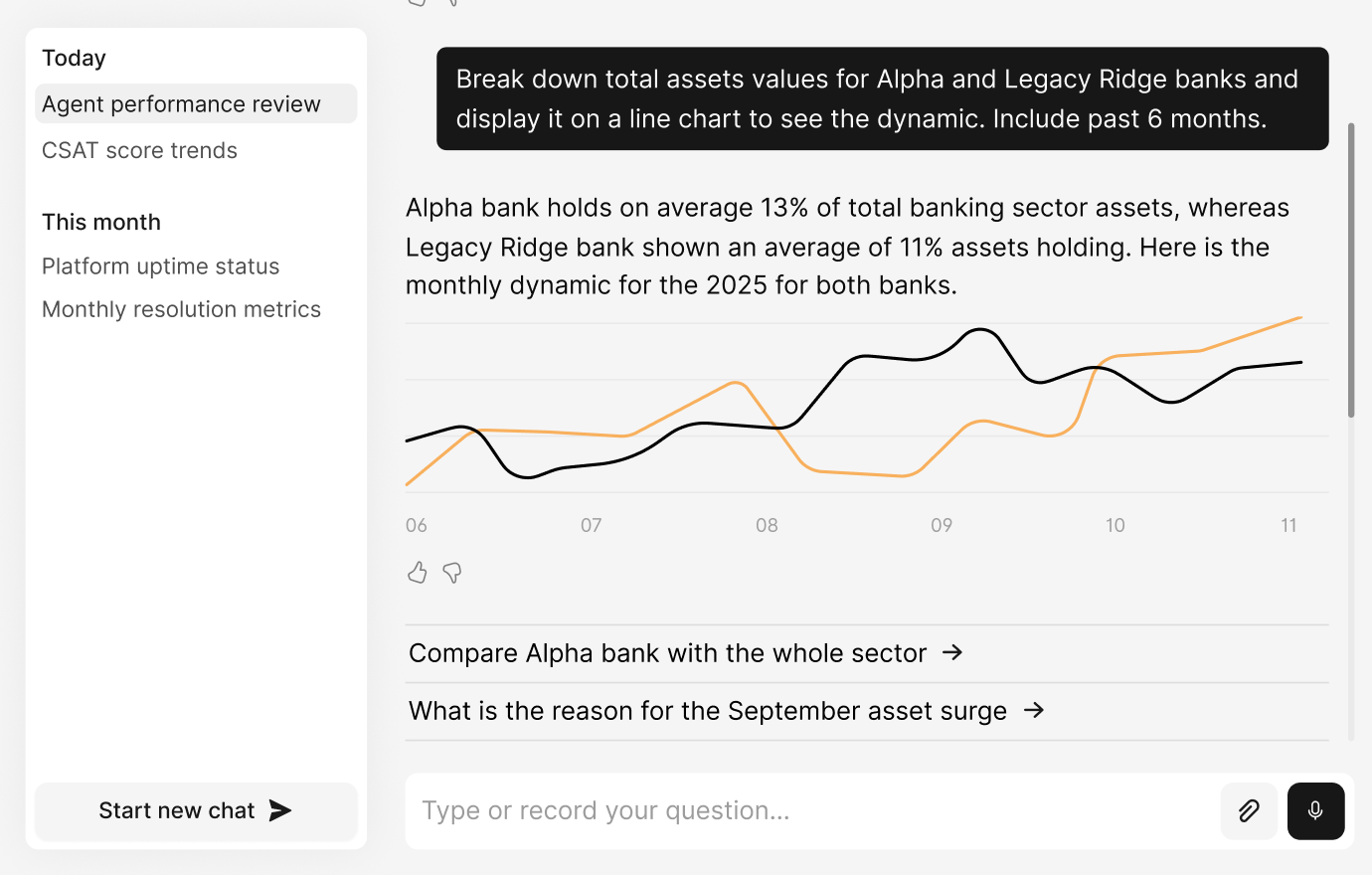
Platform advisor Chat with the platform's advisor to discover insights for your AI deployment. | |||||
AI Agents | |||||
Configuration | |||||
Customised AI agents Create your AI agents for local and secure workflows. | 1 agent | 2 agents | 2 agents | 6 agents | Unlimited |
Multi-channel deployment Deploy your AI agents across text and voice channels. | |||||
Voice messaging Enable AI agent voice communication on messaging apps. | |||||
Multilingual interactions Support 100+ languages including underserved and mixed languages. | 2 languages | 2 languages | 4 languages | 6 languages | Unlimited |
Proactive interactions Engage website visitors with proactive messages triggered by page rules and APIs. | |||||
Unlimited support Get ongoing workflow automation service with weekly touchpoints and quarterly business reviews. | Embed | ||||
Training | |||||
OpenAI ChatGPT Power your AI agent with the latest models from OpenAI. | |||||
DeepSeek Power your AI agent with the latest models from Deepseek. | |||||
Dedicated LLM Power your AI agent with a custom self-hosted large language model. | Embed | ||||
Data sources Train AI agents from websites, documents, and text snippets. | 2 sources | 5 sources | 10 sources | 20 sources | Unlimited |
Data auto-syncing The frequency of AI agent automatic retraining on provided URLs. | Monthly | Monthly | Weekly | Daily | Every 12 hours |
SharePoint Connect with SharePoint for AI agent training. | |||||
Actions | |||||
Custom actions Control automated workflows with custom triggers and actions. | |||||
AI agent switching Enable seamless and secure handover within a network of AI agents. | |||||
Live agent intervention Enable your live agents to seamlessly intervene in AI-led conversations. | |||||
Chat memory Use chat variables to store information from a chat session. | |||||
API actions Automate workflows with external integrations. | |||||
OpenAI Vision Power your AI agent with image recognition. | |||||
Inbox | |||||
Configuration | |||||
Combined tickets & chats Centralise management of tickets and chats in the inbox. | |||||
Chat-to-ticket conversion Convert chats into tickets to continue issue support. | |||||
Integrated person profile Access a person's profile without leaving the inbox. | |||||
Multi-functional search Use the search function to quickly find previous conversations. | |||||
Inbox views Create and save custom filters to focus on the most relevant messages. | 1 custom view | 1 custom view | 3 custom views | 5 custom views | Unlimited |
Multi-chat layout Allow agents to manage multiple conversations simultaneously for improved productivity. | 2 simultaneous chats | 3 simultaneous chats | Unlimited | ||
Messaging | |||||
Voice messaging Support voice messages across messaging apps and IVR. | |||||
Transcripts Automatic transcription of voice messages for live agents in the inbox. | |||||
Live translation Automatic translation of coversations for live agents in the inbox. | |||||
Change tone Allow live agents to adjust their messaging tone with AI. | |||||
Fix writing Allow live agents to correct their messages with AI. | |||||
Improve writing Allow live agents to improve their messsages with AI. | |||||
Attachments & emojis Support attachments and emojis across all channels. | |||||
Canned replies Help live agents with pre-written responses for fast communication. | 1 reply | 5 replies | 10 replies | 20 replies | Unlimited |
Email templates Help live agents with pre-written responses for fast communication. | 1 template | 5 templates | 10 templates | 20 templates | Unlimited |
Intelligence | |||||
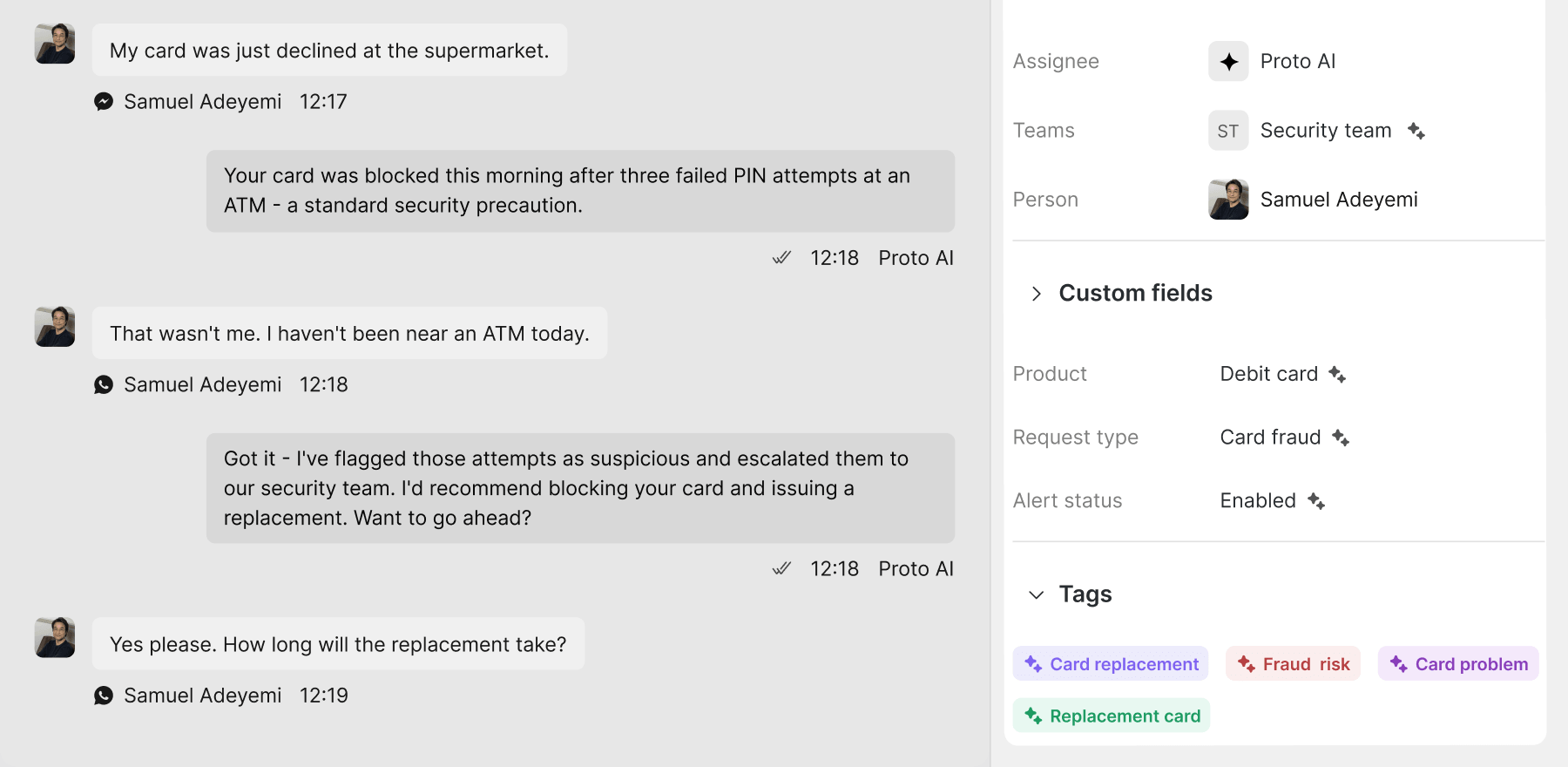
Auto-apply tags Automatically apply tags to chats and tickets based on chat history. | |||||
Auto-fill custom fields Automatically populate fields in chats and tickets based on context. | |||||
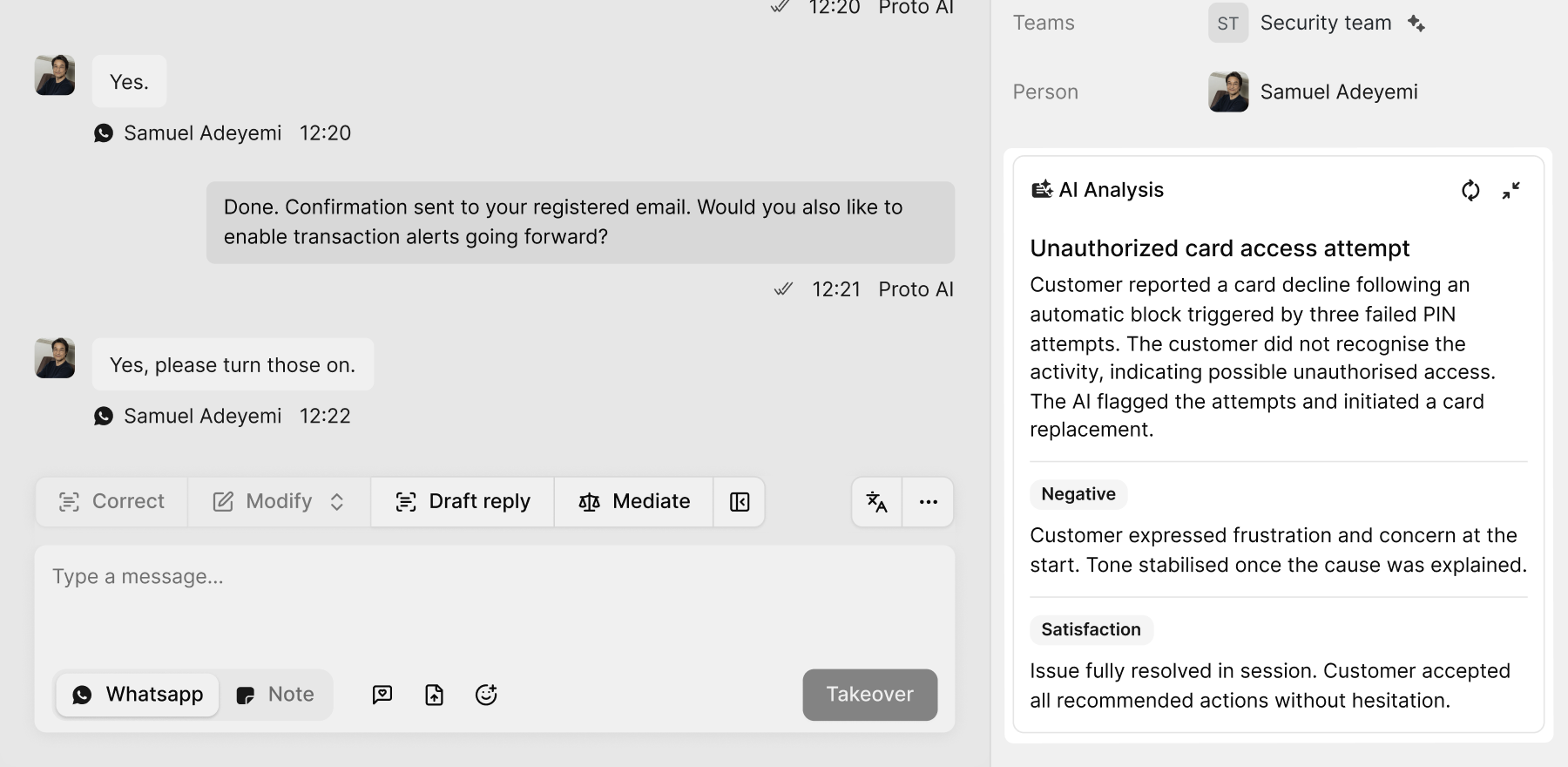
Summaries Generate concise descriptions and sentiment for chats and tickets. | |||||
Sentiment analysis View the sentiment of each conversation: positive, negative, neutral. | |||||
Collaboration | |||||
Live agent collaboration Help live agents with shared conversation views and notes for unified resolution. | |||||
Conversation notes Allow live agent to create internal notes for each conversation. | |||||
Live agent & team transfer Transfer chats and tickets to another live agent or team. | |||||
Livechat | |||||
On-demand contact centre On-demand live agents with multilingual support and flexible contracts. | |||||
Auto-chat assignment Assign chats to the appropriate live reps or teams based on predefined criteria. | Balanced | Balanced, Random | Balanced, Random, Round Robin | All | All |
Export chats Export all AI and live agent chats for external reporting and analysis. | |||||
Filtering and search Locate and manage millions of chats efficiently. | |||||
Livechat statuses Track lifecycle of audience issues. | |||||
Livechat tagging Use shared tags to categorise live agent chats. | 2 tags | 2 tags | 8 tags | Unlimited | Unlimited |
Tag groups Apply multiple tags at once to chats, tickets, and people using shared tag groups. | 1 tag groups | 6 tag groups | Unlimited | ||
Auto-apply tags Apply tags automatically to livechats and people using AI analysis. | |||||
Auto fill custom fields Populate fields automatically in chats and tickets based on context. | |||||
Summaries Generate concise descriptions and sentiment for livechats. | |||||
Sentiment and emotion View the person's sentiment and emotion in each livechat. | |||||
Tickets | |||||
Automatic ticket creation Allow your AI agent to generate tickets from chat information. | |||||
Linked chats Match tickets to related AI and live chats | |||||
Auto-escalation Escalate unresolved or high-priority tickets automatically per your rules. | |||||
Export tickets Export all tickets for external reporting and analysis. | |||||
Custom email domains Use your own email domains for ticketing. | 1 custom domain | 1 custom domains | 3 custom domains | Unlimited | |
Filtering and search Locate and manage millions of tickets efficiently. | |||||
Ticket statuses Track lifecycle of audience issues. | |||||
Ticket tagging Use shared tags to categorise tickets. | 2 tags | 2 tags | 8 tags | Unlimited | Unlimited |
Tag groups Apply multiple tags at once to chats, tickets, and people using shared tag groups. | 1 tag groups | 6 tag groups | Unlimited | ||
Auto-apply tags Apply tags automatically to tickets and people using AI analysis. | |||||
Auto-fill custom fields Populate fields automatically in chats and tickets based on context. | |||||
Summaries Generate concise descriptions and sentiment for tickets. | |||||
Sentiment and emotion View the person's sentiment and emotion in each ticket. | |||||
People | |||||
Detailed person view View all customer data gathered by AI and live agents. | |||||
Filtering and search Locate and manage millions of customers efficiently. | |||||
Internal notes Add internal notes about people and their behavior. | |||||
Custom profiles Embed iFrames to display customer profiles from your CRM. | |||||
People tagging Use shared tags to categorise customers. | 2 tags | 2 tags | 8 tags | Unlimited | Unlimited |
Tag groups Apply multiple tags at once to chats, tickets, and people using shared tag groups. | 1 tag groups | 6 tag groups | Unlimited | ||
Auto-apply tags Apply tags automatically to people from chats and tickets using AI analysis. | |||||
Auto-fill custom fields Populate fields automatically based on conversation history. | |||||
Banning rules Set rules for customer banning including reason, duration, and recurrence. | 2 ban rules | 2 ban rules | 4 ban rules | Unlimited | |
Bitrix24 Integrate with Bitrix24 CRM to sync customer data. | |||||
Salesforce Integrate with Salesforce CRM to sync customer data. | |||||
Analytics | |||||
Live report Track AI and live team performance in real-time. | |||||
AI performance metrics Track AI agent accuracy, responsiveness, and resolution rates. | |||||
Messaging metrics Track message volumes, delivery speed, and reply rates across all channels. | |||||
Engagement metrics Track customer interaction patterns including click-throughs and drop-offs. | |||||
Ticketing metrics Track ticket creation, resolution, and escalation rates. | |||||
Live rep metrics Track the responsiveness and resolution rates of live agent and teams. | |||||
CSAT metrics Track customer satisfaction levels with post-interaction surveys and sentiment scoring. | |||||
Channel metrics Track AI agent performance and usage per channel such as WhatsApp, Messenger, and webchat. | |||||
Demographic metrics Track engagement by location, language, age group, and device for targeted improvements. | |||||
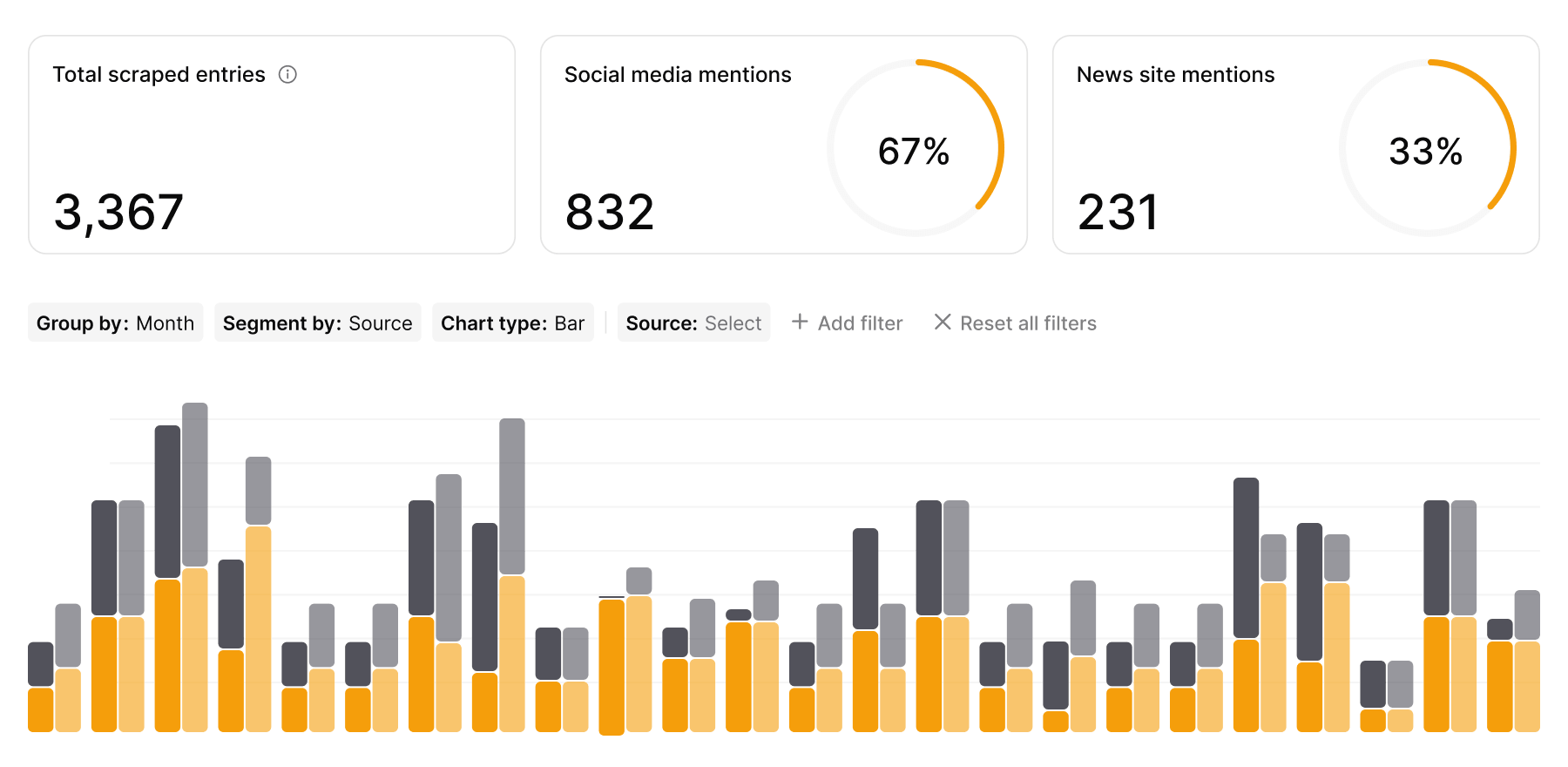
Surveillance metrics Scrape websites, social media, and app stores to discover wider customer sentiment. | |||||
Data Management | |||||
Users Live agents and admins in your workspace. | 2 users | 3 users | 5 users | 10 users | Unlimited |
Roles and permissions Customise user roles with granual permissions for enhanced security. | 2 roles | 2 roles | 6 roles | 10 roles | Unlimited |
Teams Teams are custom groups of live agents for specific languages or workflows. | 1 team | 1 team | 2 teams | 4 teams | Unlimited |
Teamspaces Manage multiple brands within your workspace. | 1 teamspace | 1 teamspace | 1 teamspace | 4 teamspaces | Unlimited |
SOC 2 Type I & II | |||||
ISO 27001 | |||||
HIPAA | |||||
On-premise hosting Deploy the Proto platform locally with complete control of data storage and processing. | Embed | ||||
Hybrid hosting Deploy hybrid hosting with a secure connection to your local database. | Embed | ||||
API account access Access your workspace data via secure API. | |||||
IP allowlist Set an allowlist of trusted IP addresses for secure workspace access. | |||||
SSO login Eliminate insecure personal password usage with single sign-on with Google and Microsoft. | |||||
User management Monitor user activity, manage roles, and enforce security with two-factor authentication. | |||||
Team management Manage teams of live agents and set permissions and assignment rules. | |||||
Platform white-labelling Replace the Proto platform branding. | Embed | ||||
Proactive customer support

62% inquiries automated
62% inquiries automated




5K members engaged monthly
5K members engaged monthly
.webp)
Estimate your savings with Proto
Pricing FAQ
Can I downgrade my subscription?
Yes – you can downgrade your plan in the platform.
Do additional interaction bundles roll over to the next billing period?
No – unused additional interaction bundles expire at the end of the billing period. Consider upgrading your plan if you see a constant interaction overage.
Do you have a free trial?
Proto has a Starter plan that is completely free to use allowing you to use up to 1,000 interactions per month. You can sign up for a free Starter plan now in a few minutes. Larger businesses, enterprise and government agencies that wish to try unlimited platform features before subscribing can contact our team.
How is pricing calculated?
Plans are priced based on included features and monthly interaction volume. If you reach your monthly limit, you can add additional interaction bundles.
Learn more: Pricing.
How long will additional interactions be available?
Additional interactions remain available until the end of your current billing period. Unused interactions do not roll over to the next period.
Is a credit card required for the free plan?
No – you can start using Proto without entering card details. You will only be asked for payment details if you upgrade to a paid plan.
Learn more: Pricing.
Is there a limit for live agents, AI agents, people, tickets, channels, or languages?
Limits depend on your plan. Some items (like tickets and livechats) are not limited, while other limits (like number of AI agents or languages) vary by tier.
Learn more: Pricing.
What happens if an additional interactions purchase fails?
If your payment method is removed or a transaction fails, outbound replies stop. This means AI agents will not respond and live agents will not be able to send messages.
Inbound messages from customers will still be received, and you can resume replying once the billing issue is resolved.
What is the cancellation policy?
You can cancel your subscription in the platform. For accountdeletion , please contact the Proto support team.
If you are on a paid plan, your subscription will remain active until the end of the current billing cycle.
What payment methods are accepted by Proto?
Proto accepts credit card payments for self–serve plans. Alternative payment methods may be available for Enterprise and government clients.
What will happen if I run out of interactions?
If you have additional interactions enabled, a bundle can be applied automatically as you reach your monthly limit to avoid disruption.
If additional interactions are not enabled, outbound replies pause until you purchase more interactions or your next billing cycle starts.
Learn more: Pricing.