Health plan eligibility
5
min read
Guide benefits
This guide demonstrates how to use Proto’s platform to automate health plan eligibility verification. Before receiving treatment, members often need to confirm their health plan is active and eligible for coverage—a step commonly delayed by manual processes and hotline queues.
Who can benefit from this guide:
- Insurance providers offering healthcare coverage
- Health Maintenance Organisations (HMOs)
- IT teams responsible for digital health channels
- Operations or CX managers digitising patient support
Health plan eligibility
With an AI-powered workflow, members can verify their coverage in real time by submitting basic personal information or a policy number. The AI agent retrieves and displays eligibility details instantly, helping confirm plan status and supported services—improving transparency and reducing bottlenecks at the point of care. See how to automatically verify insurance plan coverage.
Health plan eligibility
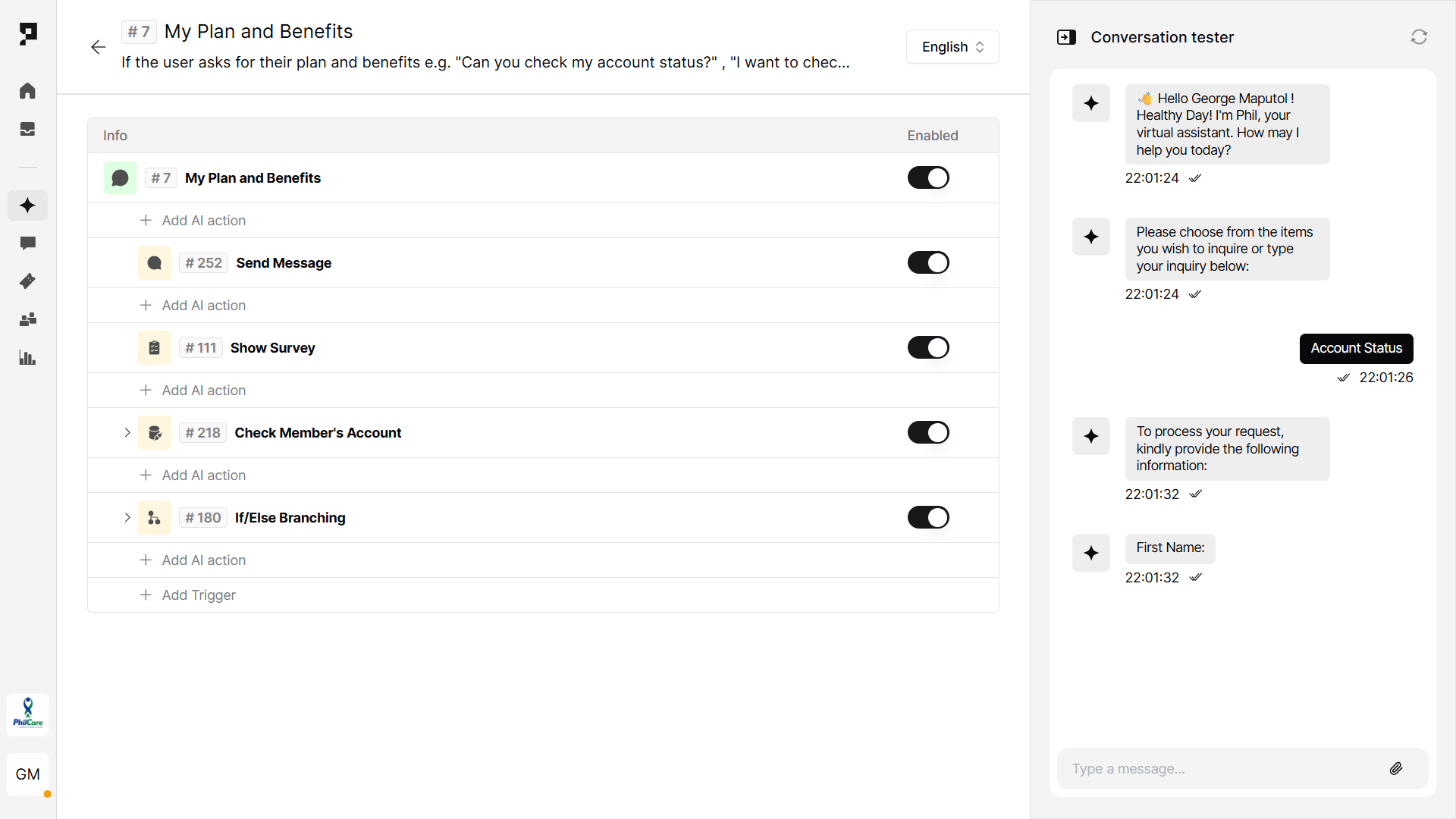
1. Create a Trigger
Purpose: Create a new flow within AI Assistant Actions.
- Navigate to the Actions tab in the AI assistant’s settings.
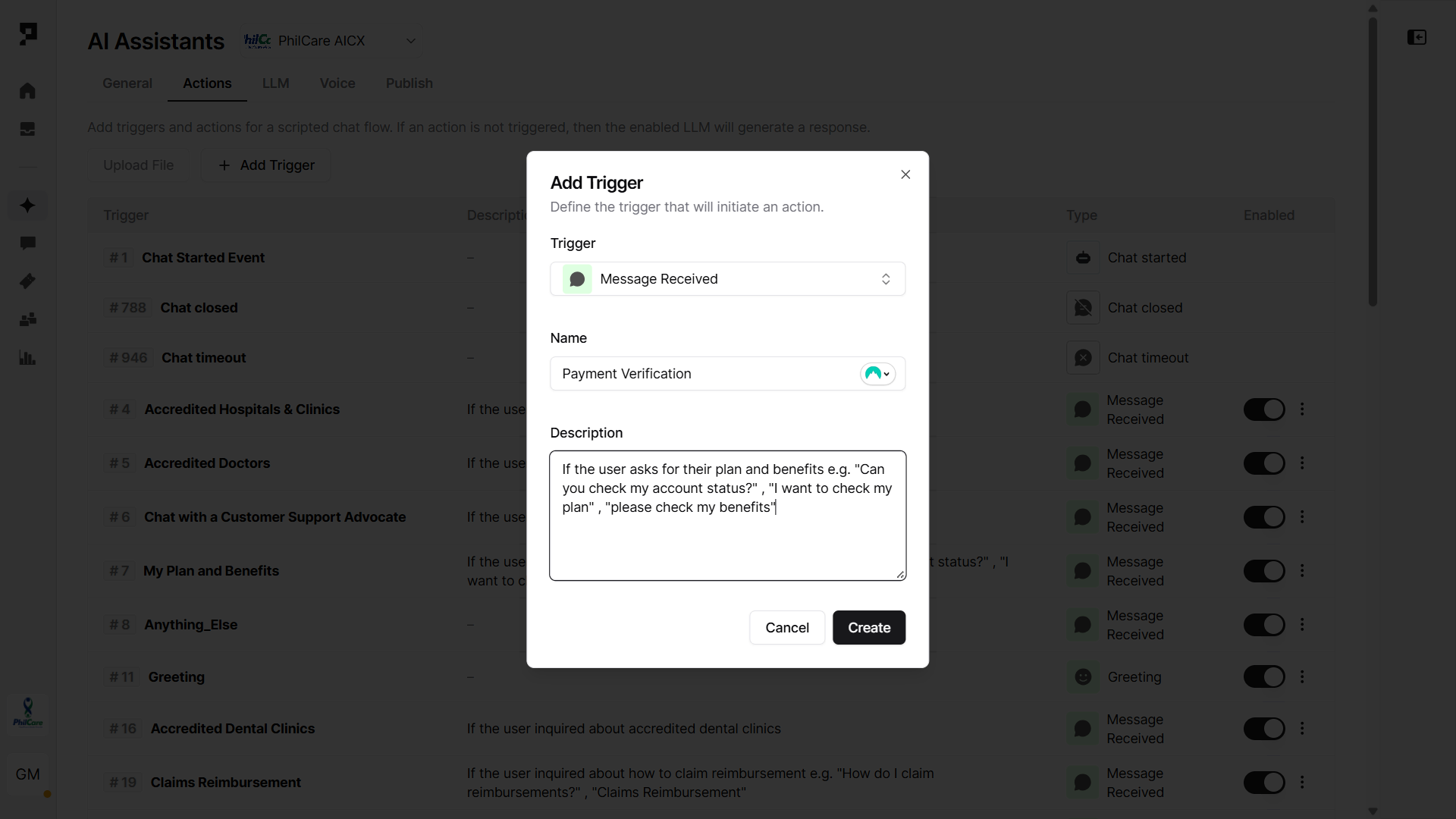
- Click “+ Add Trigger” button and select the Message Received trigger type.
- Name the trigger (e.g. “Status verification”) and provide a short description like “If the user asks about their plan and benefits e.g., ‘Can you check my account status?’, ‘I want to check my plan’, ‘Please check my benefits’.”
- If your assistant is powered by an LLM, the Description acts like a prompt to help the AI decide when to activate the trigger.
Learn more about AI Triggers and Actions.
2. Collect member information
Purpose: Capture the patient’s personal details to check the eligibility.
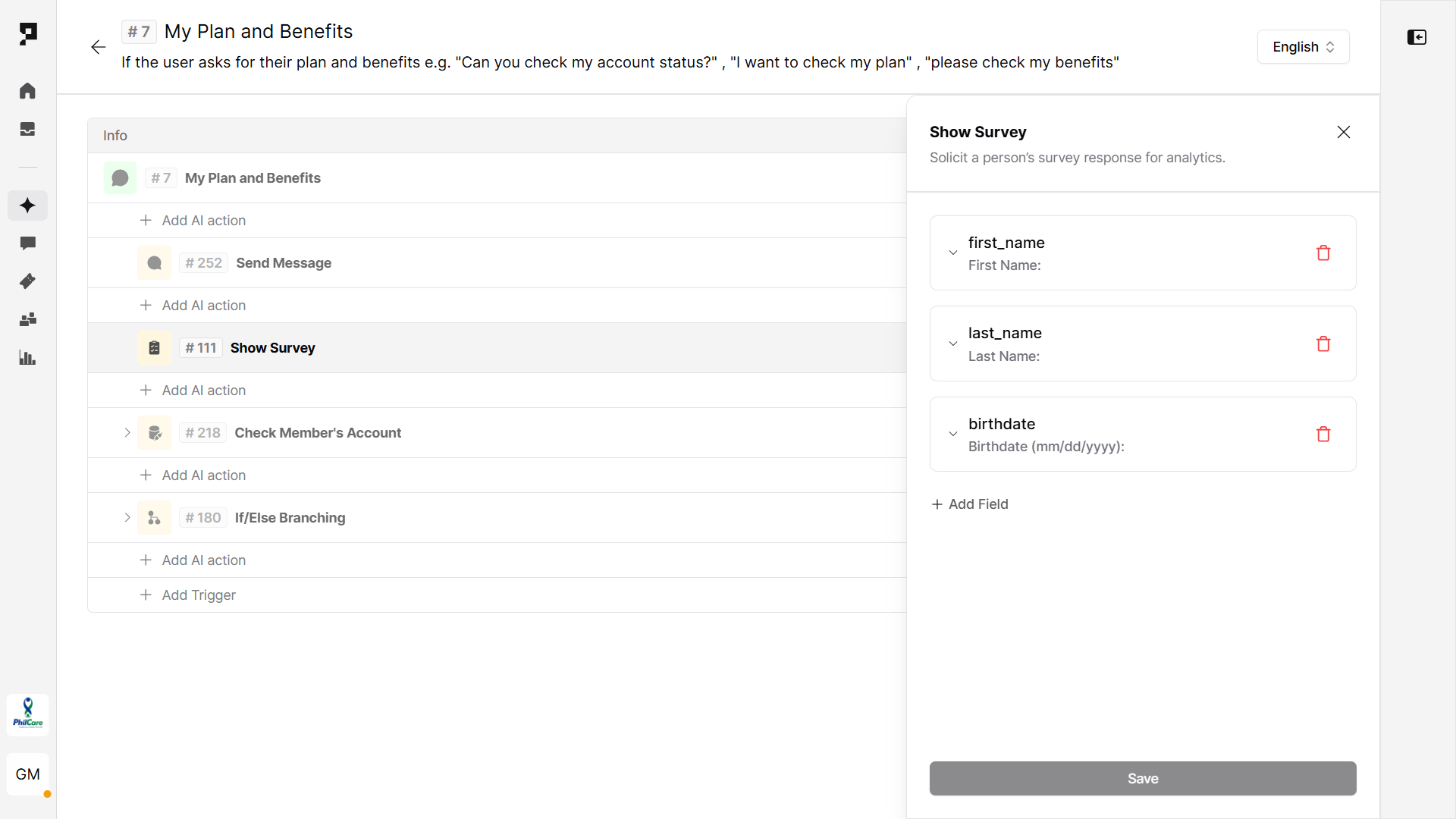
Use a Survey Action to collect the required information. Every value will be automatically stored in the related variable:
- First name (
first_name) - Last name (
last_name) - Date of birth (
birthdate)
3. Call the patient verification API
Purpose: Validate patient details and confirm patient existence.
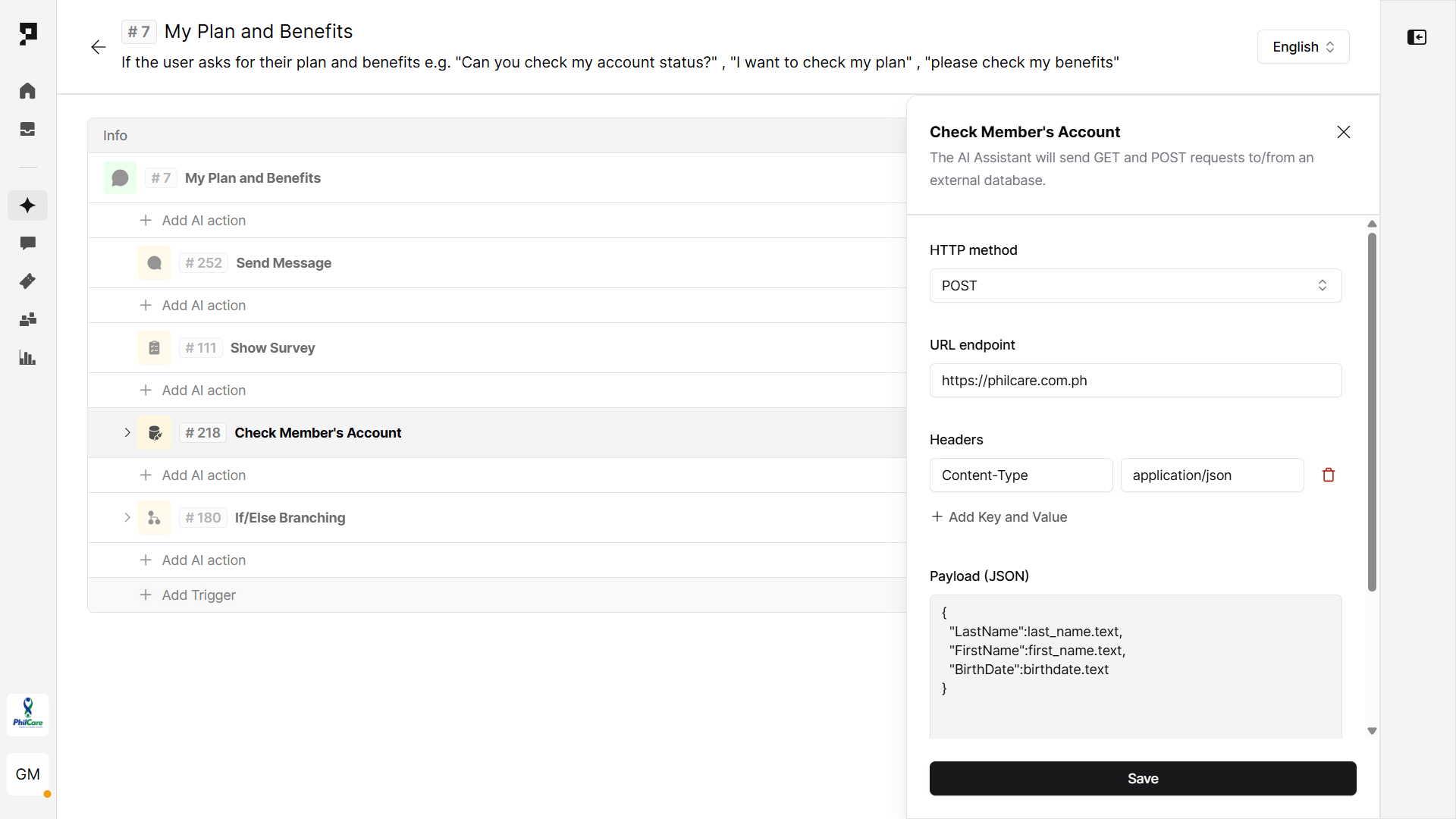
- Use the Send API Request action. Method:
POST - Add URL endpoint and API key.
4. Show coverage details
Purpose: Respond to the patient with coverage details based on the received API data.
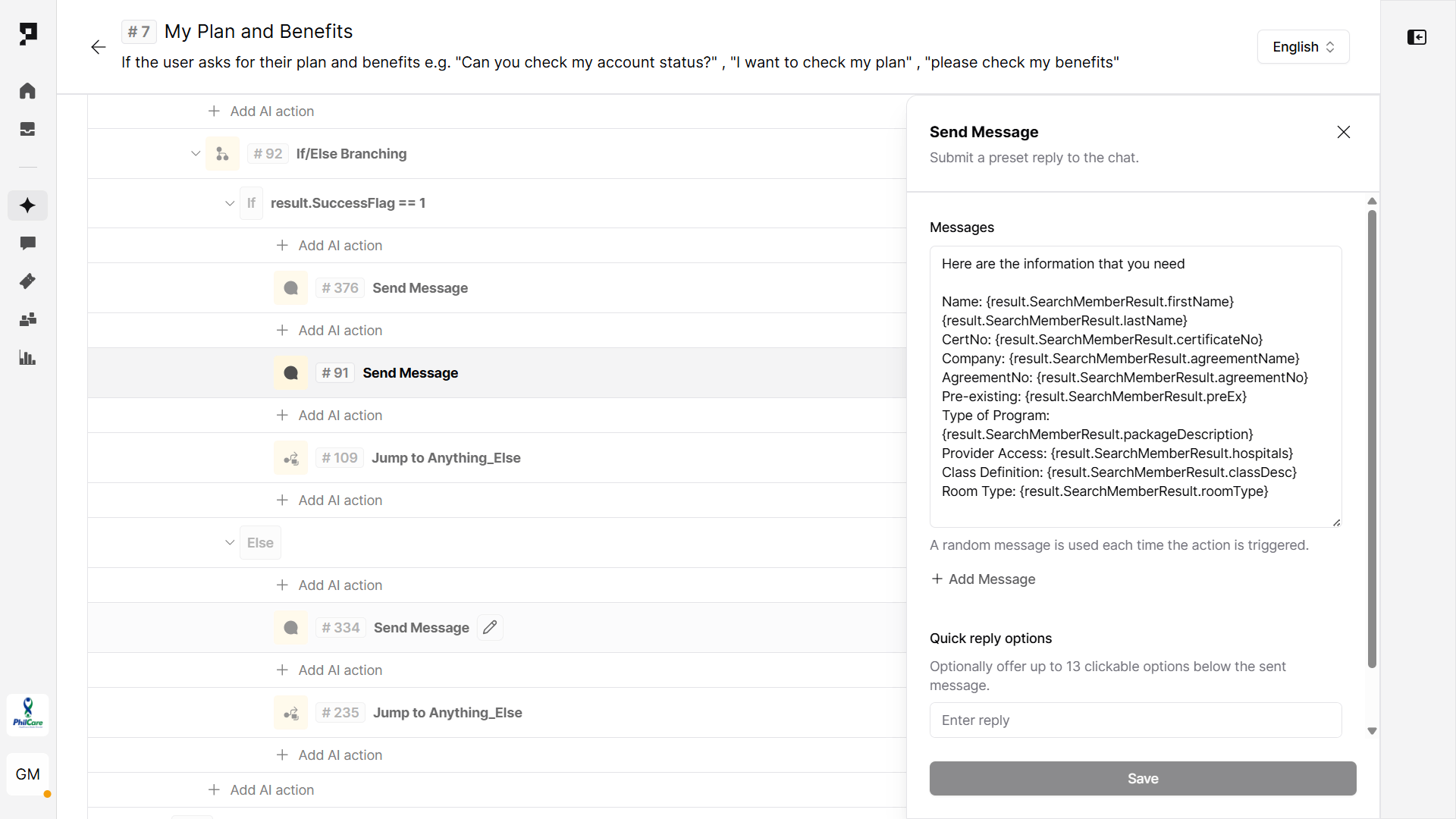
Use an If/Else Branching action to evaluate the API response variable (result.SuccessFlag).
- Condition:
result.SuccessFlag == 1– Share the plan’s coverage details and allow the user to continue by jumping to another Action. - Else: Inform the patient that there is no available coverage and handle unexpected or undefined responses.
5. Test the flow
You can test your new workflow without leaving the Action settings, using the Conversation tester side panel. Validate the entire process:
- Ensure the workflow is correctly triggered by relevant user queries. Fine-tune the trigger using exclusion phrases to prevent false positives.
- Test each action step, including Survey submissions, API calls, and variable mappings. Reliable API handling is essential for accurate data retrieval and display.
- Once verified, finalize the Assistant deployment by configuring your preferred channels and languages.
Client stories
In the Philippines, PhilCare uses Proto’s platform to automate insurance-related interactions, including plan eligibility checks and LOA processing. The AI agent manages over 2.6 million interactions annually, automating nearly half of all inquiries and significantly reducing agent workload. Read more.