
Customise your regulator's mandated AI agent
Workflow purpose
This guide covers how financial institution canretain ownership of the customer relationship and controls the first impression – complaints are handled compliantly without the regulator becoming the customer's point of contact.
Financial institution can deploy its own branded AI Agent for customer service with an automatic handoff to their regulator’s complaints agent whenever a customer expresses any complaint or dissatisfaction.
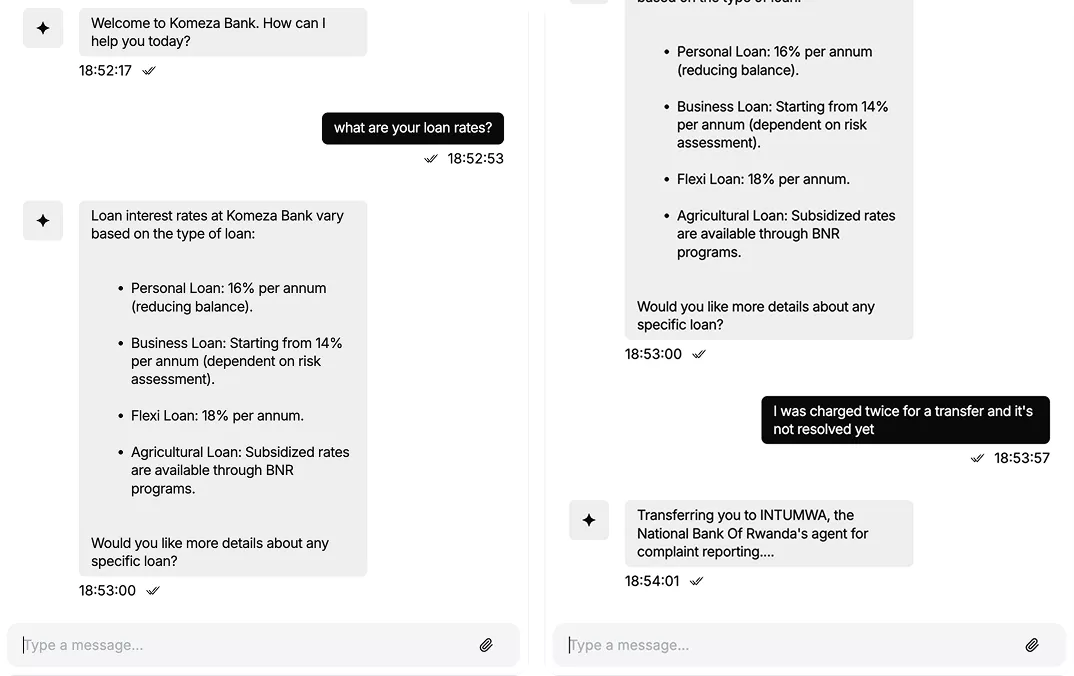
For example, under the National Bank of Rwanda mandate, all consumer complaints must be received and monitored by BNR directly, regardless of type or severity. The financial institution agent handles all other customer queries – account information, products, transfers, and general support – using its own knowledge base. The moment any complaint or dissatisfaction is detected, the agent switches to regulator's agent via the AI Agent Network, transferring the conversation so the regulator can collect the complaint, assign a ticket to both regulator and institution team, and manage resolution.
Who can benefit from this guide:
- Institutions operating under a central bank or financial regulator mandate
- Regulators deploying a shared complaints intake agent across a licensed network
- IT teams configuring cross-organisation AI Agent Network connections
- Customer experience managers building compliant complaint routing flows

1. Create the financial institution teamspace and AI Agent
Set up a dedicated teamspace for the financial institution and create the AI Agent that customers will interact with.
- From the main dashboard, click Teamspaces → New teamspace.
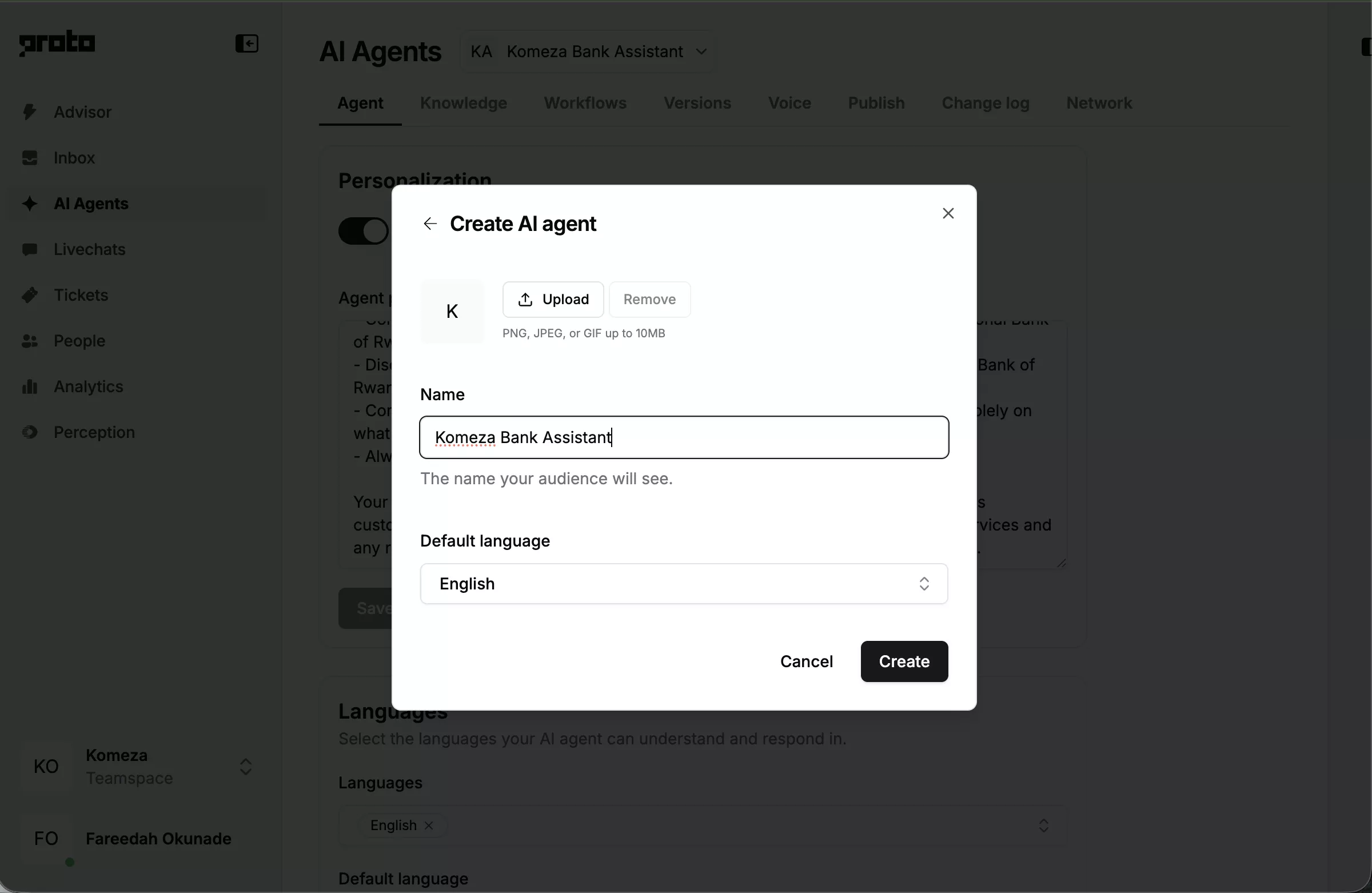
- Name the teamspace after the financial institution – e.g. Komeza Bank.
- Inside the teamspace, click AI Agents → New AI Agent.
- Name the agent – e.g. Komeza Assistant. Set the agent’s language to your local language.
2. Configure the LLM with the financial institution’s knowledge base
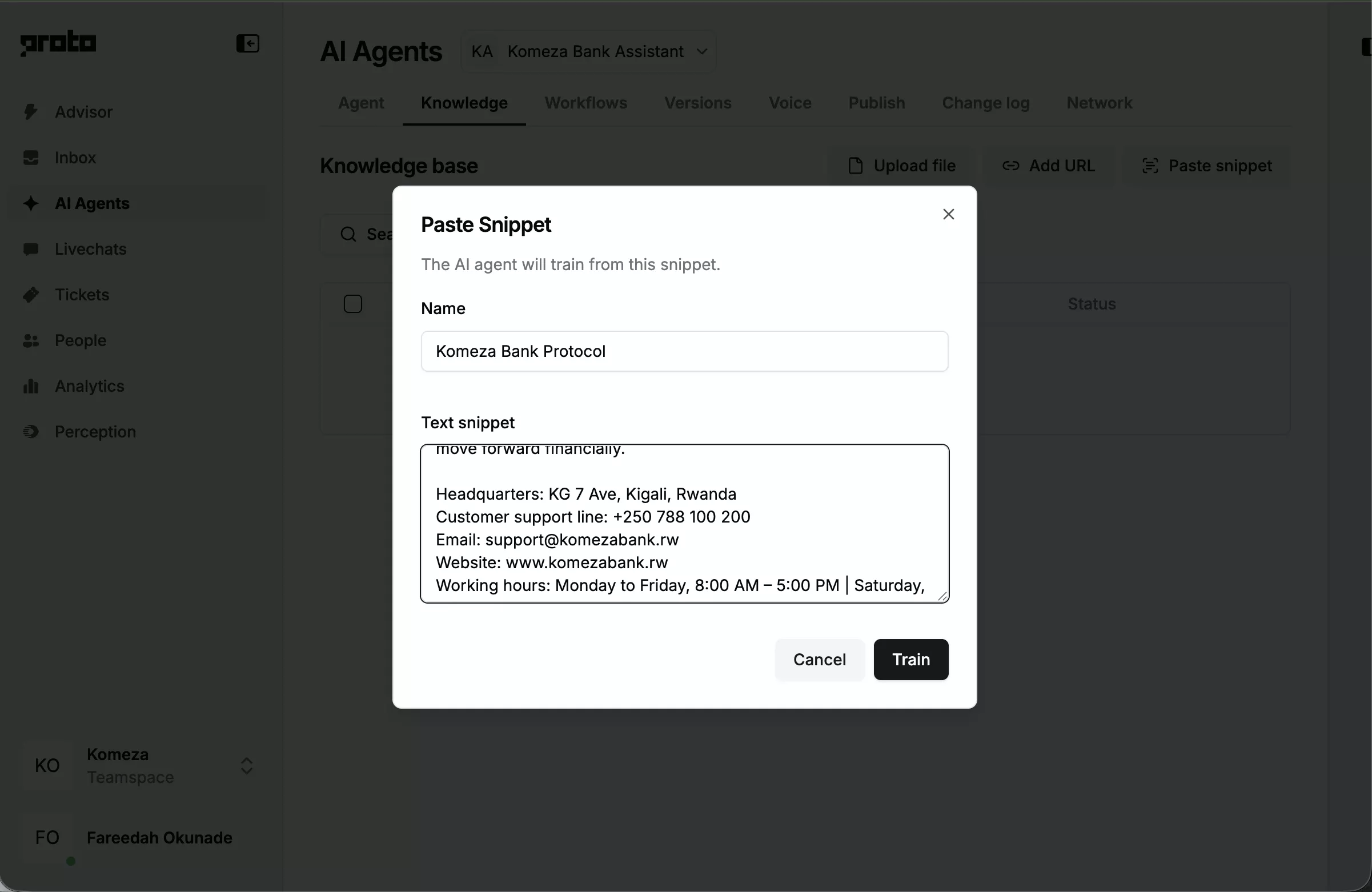
Train the AI Agent on the bank’s products, services, and policies so it can handle general customer queries without scripted flows.
- Inside the agent, click the LLM tab.
- Toggle LLM fallback on.
- Under Master prompt, paste the financial institution’s persona instruction. The key rule: if any complaint or dissatisfaction is detected, the LLM responds only with “I’ll connect you to our complaints service now” and lets the scripted trigger handle the transfer to regulator.
- Click Add training source → upload the bank’s knowledge base document (TXT, PDF, or DOCX).
- Click Save and sync.
3. Build the welcome flow
Greet customers when a new chat starts and present the main service menu.
- Click the Actions tab. The Chat Started trigger is already present.
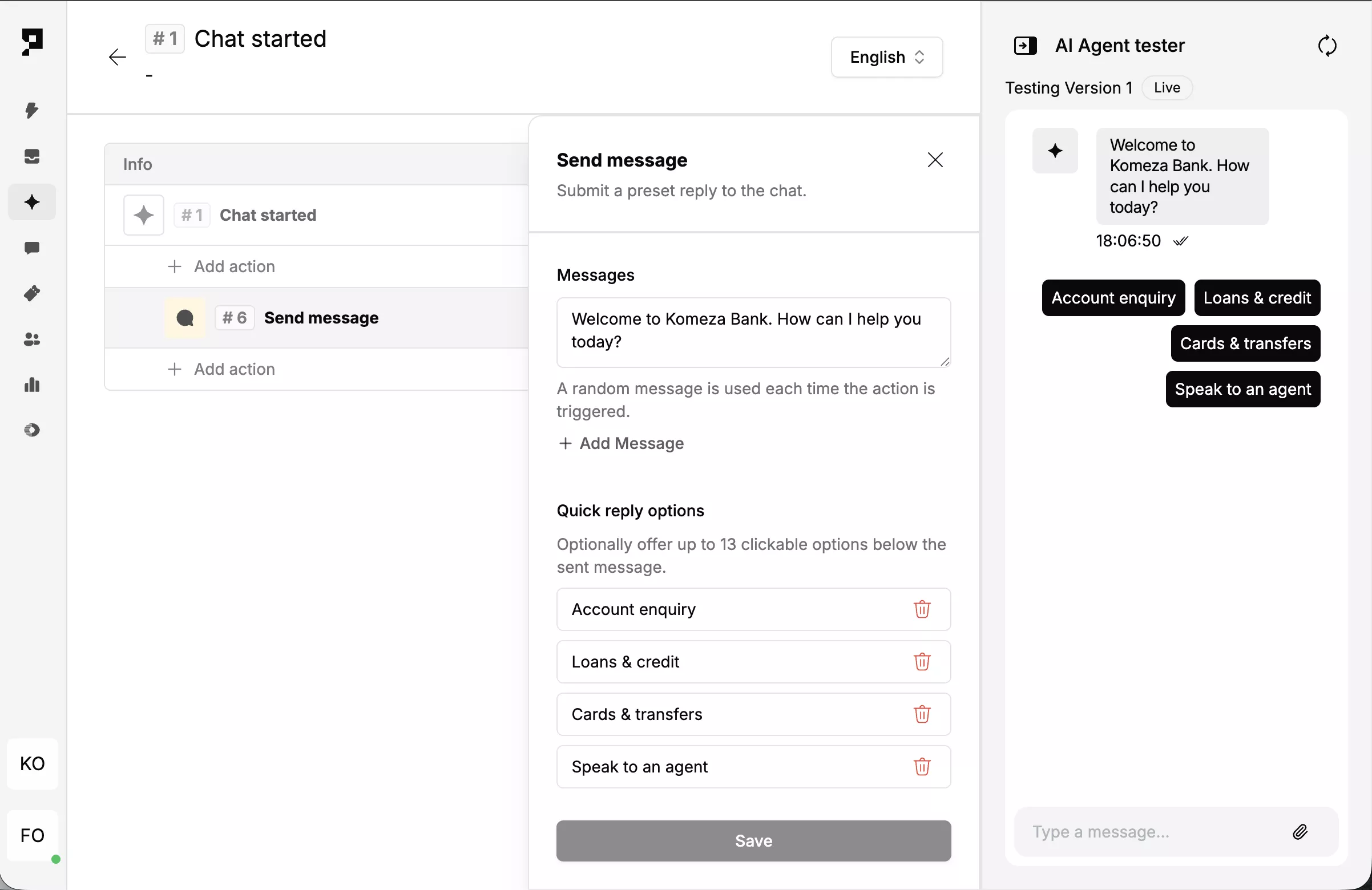
- Under Chat Started, add a <action-tag>Send Message<action-tag> action.
- Enter the welcome message – e.g. “Welcome to Komeza Bank. How can I help you today?”
- Add quick reply options: Account enquiry Loans & credit Cards & transfers Speak to an agent. Do not add a complaint option here – the complaint trigger fires on intent, not on a menu selection.
- Add a <action-tag>Set Chat Variable<action-tag> – set
menu_selectionto_user_input. - Click Save.
4. Build the complaints trigger and regulator handoff
Detect any expression of complaint or dissatisfaction and transfer the customer to the regulator’s AI Agent immediately – no internal resolution step for the financial institution.
- Click Add trigger → Message received.
- Name it
Complaint. In the description field, enter: “Customer expresses any complaint, dissatisfaction, frustration, or problem with a product or service – including phrases like ‘I have a complaint’, ‘I’m not happy’, ‘this is wrong’, ‘I was charged incorrectly’, ‘my transfer failed’, or any other expression of dissatisfaction.” - Under this trigger, add a <action-tag>Send Message<action-tag> action.
- Enter the handoff message – e.g. “I’ll connect you to our complaints service now.” Keep this brief – regulator’s agent will handle everything from this point.
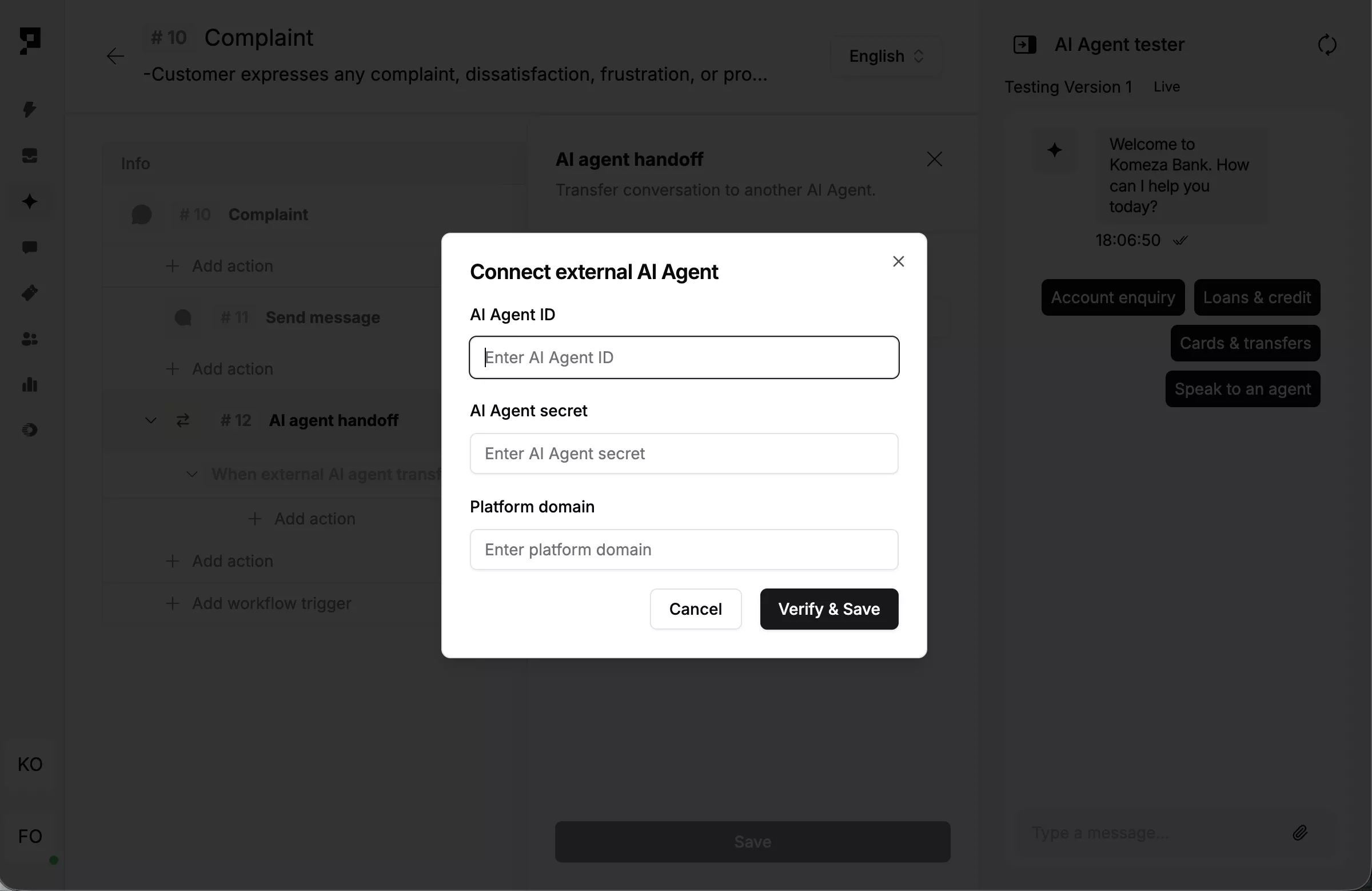
- Add an <action-tag>AI Agent Network<action-tag> action.
- Enter regulator’s AI Agent ID, AI Agent secret, and platform domain. Click Verify, then Save.
Note: Regulator should provide their Agent ID and secret.
5. Add supporting workflows for the financial institution
Add the other workflows the financial institution’s agent will handle – every interaction that isn’t a formal complaint stays within the financial institution’s agent and never touches the regulator.
The complaint trigger handles one specific intent. Everything else – account enquiries, product questions, onboarding, fraud reporting – should be covered by additional workflows in the same agent. Build as many as the financial institution needs, following the same pattern: Add trigger → Message received → describe the intent → add the relevant actions.
Common workflows for financial institutions already documented in the Proto workflow guide series:
- Verify banking KYC through AI chat
- Open bank accounts through AI chat
- Request loans through AI chat
- Report lost or stolen cards with AI chat
- Intake scam reports with AI chat
- Integrate scam reports with track-and-trace to freeze funds
Any intent not covered by a scripted workflow falls through to the LLM, which answers using the knowledge base configured in step 2.
Browse all workflows for financial institutions.
6. Test the flow
Confirm the welcome flow, complaint handoff, and supporting workflows all behave correctly before go-live.
- Open the agent’s Test panel and start a new chat.
- Send a general query – e.g. “What are your loan rates?” – and confirm the LLM responds correctly without triggering the complaint flow.
- Type a clear complaint – e.g. “I was charged twice for a transfer” – and confirm the Complaint trigger fires and the handoff message appears.
- Type a softer expression of dissatisfaction – e.g. “I’m not happy with my service” – and confirm the same trigger fires.
- Confirm the conversation transfers to the regulator's agent
- After regulator completes intake, confirm the ticket appears in the financial institution’s Inbox
- If the handoff fails, verify the regulator's Agent ID, secret, and platform domain are entered correctly in the <action-tag>AI Agent Network<action-tag> action.
15‑minute live demo