
Release notes
January 2026
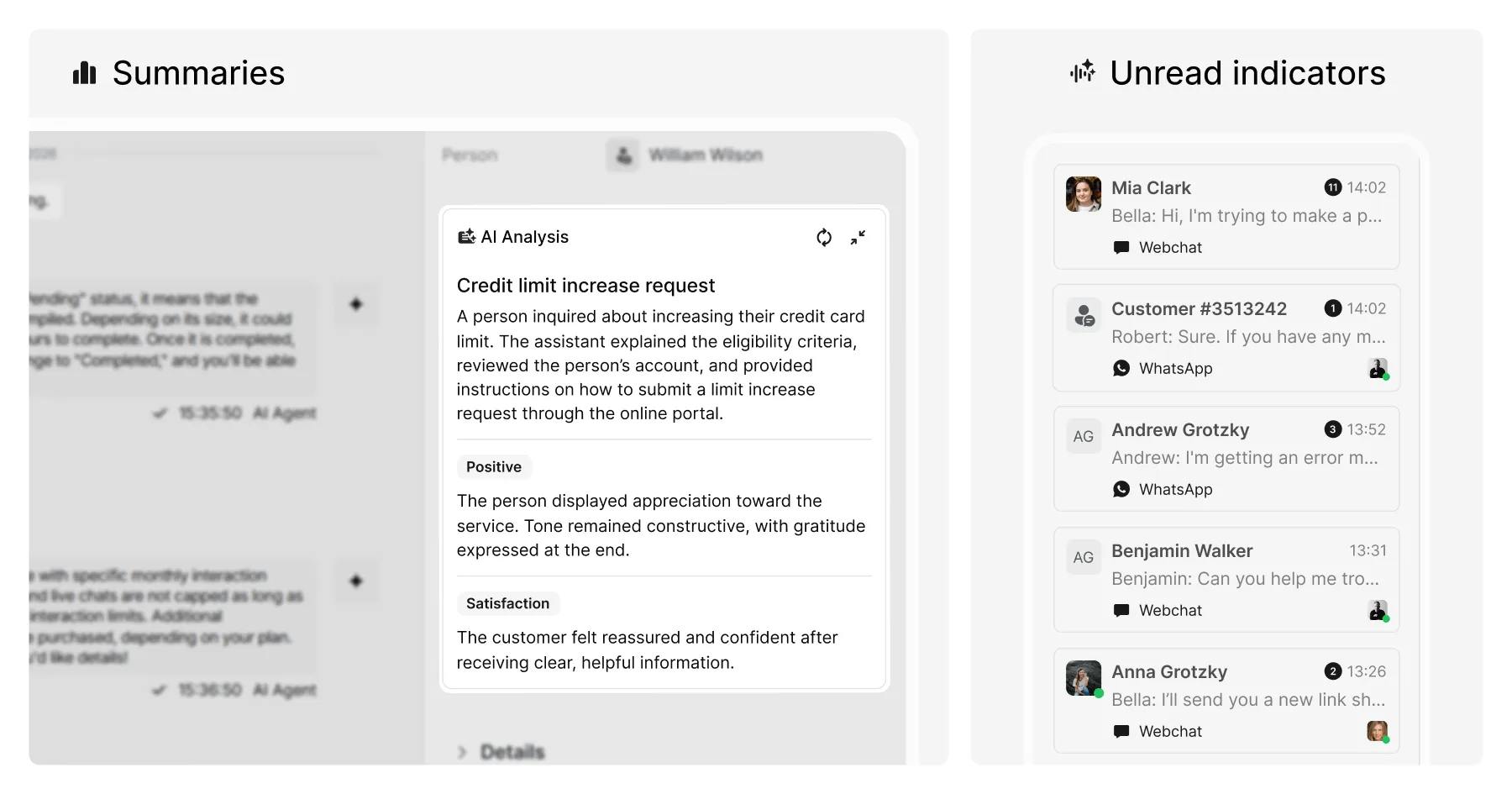
AI analysis
AI analysis is now available for Livechats, bringing structured insights into the Inbox and analytics workflows.
Summaries
Generate a concise conversation summary that highlights the core issue, key actions taken, and the outcome – useful for reviews, handovers, and faster follow-ups across both AI agents and live teams.
Sentiment and emotion analysis
Surface sentiment and emotion signals for each conversation to help teams understand customer experience trends and interaction quality.
AI analysis settings are configurable per module, with access controlled via roles and permissions. Summaries are currently in beta for livechats with upcoming availability for Tickets and People.
Inbox unread message indicators
The Inbox now makes unread items easier to spot, with clearer unread indicators and unread counts per conversation for Livechat (excluding AI agent conversations) and Tickets.
Analytics tab access controls
Analytics access is now more granular – roles and permissions can be used to grant or restrict access to specific Analytics tabs.
Other improvements
- You can now export livechat conversations for a selected date range – matching the export experience already available in Tickets.
- Filters now support tag groups across Livechat, Tickets, and People, making it easier to narrow down records using consistent tagging structures.
- We updated how the webchat widget loads so it can be reloaded dynamically – without requiring a full page refresh – to support configuration changes, user context updates, AI agent switching, and recovery from script errors.
- Calendar dropdowns now include a “Last year” option to speed up historical reporting.
- “Created on” timestamps in Livechat and Tickets now include seconds, giving more precise timing when reviewing activity.
Bug fixes
- Quick Reply buttons in Sneak Peek now behave correctly when they fall back – if fallback occurs and the LLM is enabled, the LLM will now run as expected.
- Knowledge URL retraining is working again, so updates to linked sources can be picked up automatically.
- Excel exports now handle special characters more safely to reduce failed or corrupted files.
- Fixed an issue where long team names could overflow the transfer modal layout.
- Restored consistent spacing around calendar components.
- Fixed an issue where agent replies looked fine in the Inbox but lost spacing on the customer side.
- You can now delete URL-based training records in Knowledge settings as expected.
- Fixed an issue that prevented adding attachments to email templates.
- Collect Feedback content now supports hyperlinks correctly.