
Release notes
April 2026
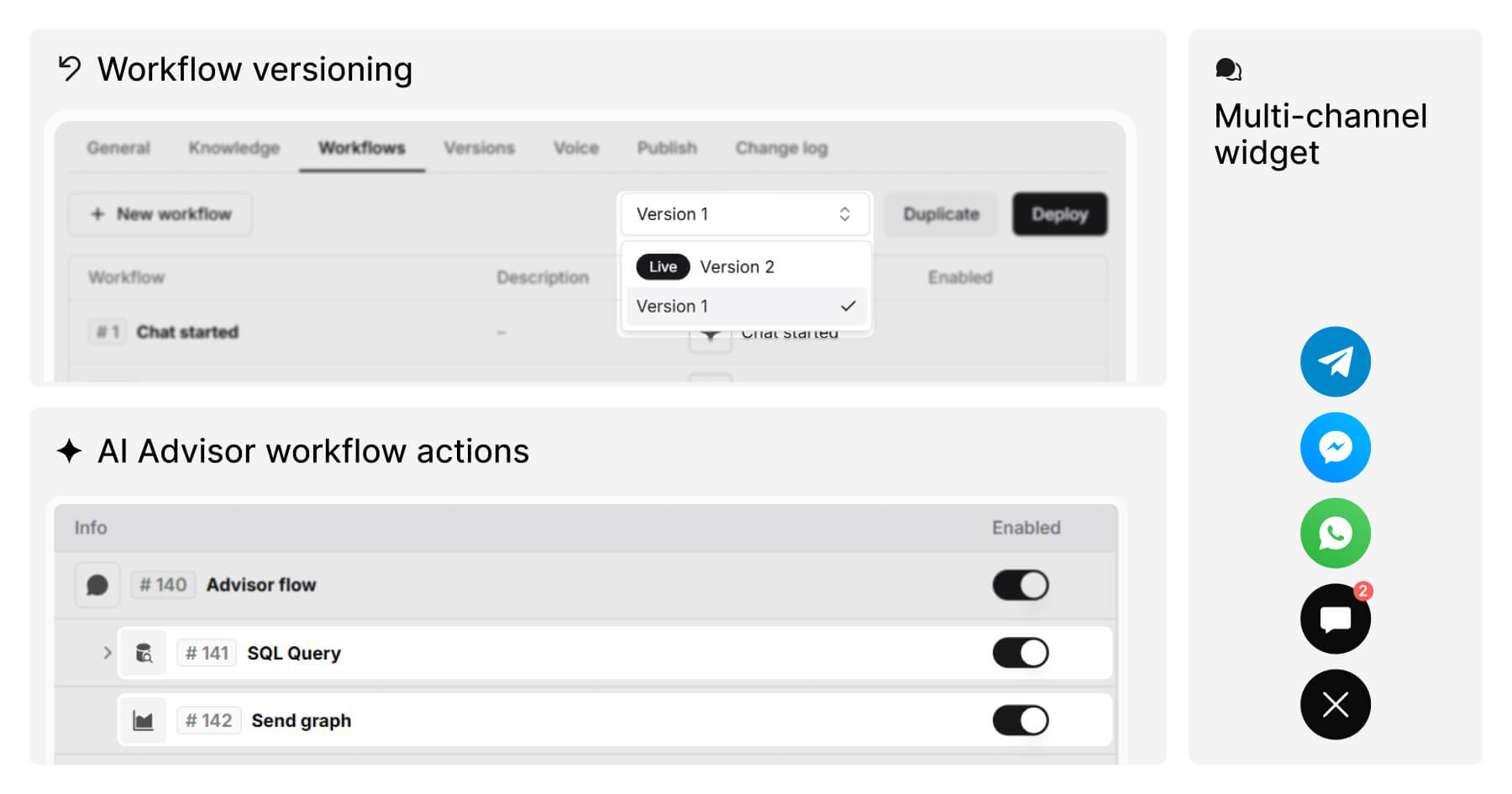
AI agent versioning
You can now maintain multiple saved versions of an AI agent's workflow and choose which one is live at any given time. This makes it easier to test changes, roll back to a previous state, or keep a stable version running while working on the next one – without disrupting your end users.
Multi-channel widget
A new multi-channel widget lets you surface multiple communication channels as a single floating button on your website. Clicking it shows the available channels for the user to choose from. The widget is configured in Webchat settings and supports proactive messages.
Platform Advisor: database connector, SQL queries, and charts
Three new AI agent actions make it possible to connect your AI agent directly to your own databases and surface structured data in conversations.
The database connector is a new settings page where you can register external PostgreSQL or MySQL databases with secure credentials, SSL/TLS, and optional SSH tunnel. A test connection button and a proxy IP for allowlisting are included.
The SQL Query action lets your AI agent run a SELECT query against any configured database connector at any point in a workflow. Results are stored as a JSON variable for use in downstream steps, with a configurable timeout and Success, Error, and Timeout outcome branches.
The Send graph action takes SQL results or structured JSON data and renders a chart directly in the conversation. Chart type – bar, grouped bar, stacked bar, line, multi-line, or pie – can be selected manually or driven by an LLM output variable. Charts can be exported as PNG, JPEG, SVG, or CSV.
Other improvements
- Auto-filled field indicator – Fields populated by the Auto fill field action now show a visual indicator with a tooltip naming the AI agent responsible. The indicator clears once the field is edited manually.
- Webchat widget size and position control – New controls in Webchat settings to customise the widget button's size and position on the page.
- Automatic cleanup of stale knowledge data – When recurring website scraping is enabled, outdated content is now automatically removed from the knowledge index after each sync, preventing stale data from affecting AI responses.
Bug fixes
- Fixed an issue with incorrect ordering in Analytics filters.
- Fixed filter state not clearing correctly after a search.
- Fixed missing error messages in certain AI agent action configurations.
- Fixed an Analytics error occurring with larger data sets.
- Fixed a permission issue affecting status changes for some users.
- Fixed cases where the AI agent's fallback behaviour was not triggered as expected.
- Fixed an issue where invalid workflow variables caused AI responses to stop unexpectedly.