
Release notes
March 2026
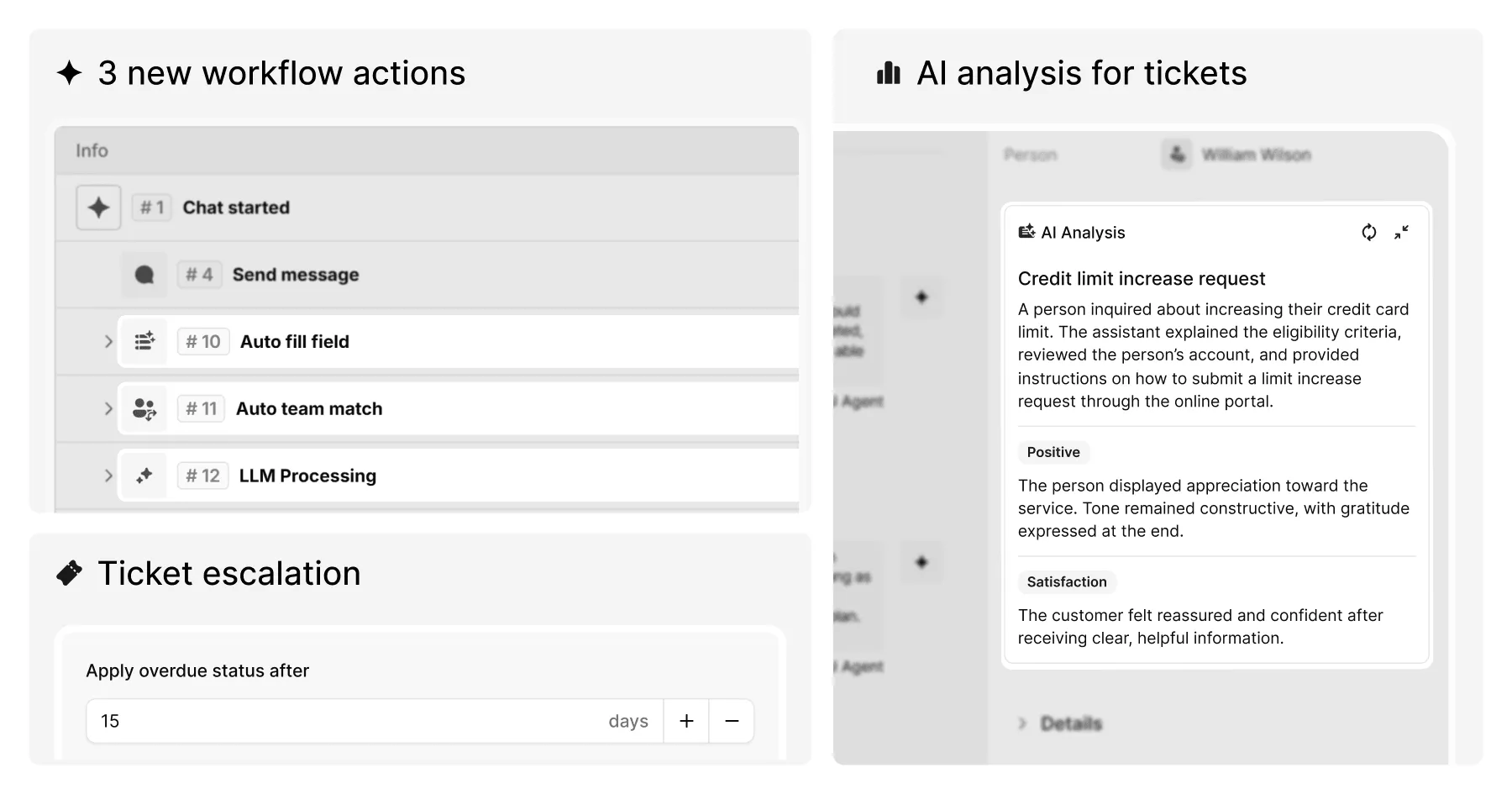
LLM Processing action
AI Agents can now call a large language model at any point in a workflow, not just as a fallback. The new LLM Processing action lets you inject chat variables into a prompt, choose a model and pass the result to downstream actions. Temperature, a system prompt, and access to the AI Agent's training sources can all be configured per action. The action supports Success, Error, and Timeout outcome branches for full downstream control.
AI chat categorisation
A new Auto fill field action classifies conversation content and automatically populates custom fields using AI. Fields are only populated when the AI's confidence is sufficient – low-confidence matches are skipped. Results are stored in a variable for use in subsequent flow branches.
Team auto-assignment
Teams now support alternative names – a list of phrases the platform's NLP classifier uses to automatically match incoming chats to the right team. Tags can also be assigned to a team for automatic application when a match is made via the auto-assignment API.
AI Analysis for tickets
AI Analysis – which generates summaries, sentiment labels, and emotion labels for conversations – now extends to email tickets in addition to livechats. Analysis runs automatically when a ticket is closed, with results appearing in the ticket's details panel.
Ticket escalation
Overdue rules now include automatic reassignment. When a livechat or ticket becomes overdue, it can be automatically reassigned to a specific live agent, one or more teams, or both. Both options can be enabled simultaneously and are configured in the Overdue rules settings.
Telegram group chat
Your AI agent can now be added to Telegram group chats, allowing it to respond to and manage conversations within groups. Live agents can also participate within the same group. Note that the feedback and rating form is not supported in group chat mode.
Email channel for AI agents
Email is now available as a dedicated channel, enabling AI-powered conversation handling over email alongside your other connected channels.
Other improvements
- Exports for livechats and tickets now include AI Analysis fields – sentiment, emotion, and summary – as selectable columns when AI Analysis is enabled for the workspace.
- The Interactions report in Analytics now segments voice interactions by type: ASR (speech-to-text) and TTS (text-to-speech) are reported separately alongside message and media breakdowns.
- Webchat channel settings have been reorganised into horizontal tabs with a live preview panel fixed to the right.
Bug fixes
- Fixed a 500 error returned when using the create ticket API.
- Fixed the AI Agents filter not returning data in the Tickets analytics report.
- Resolved a permission issue affecting access to livechats linked to tickets.